
When working with information, it is often necessary to cut and paste data from one source to another. For instance, while using a Test/Dev/Demo M365 tenant, one might have to employ a user account with usernames like MeganB@M365x12345678.onmicrosoft.com and a complex, secure system-generated password that is difficult to remember or type.
The problem is that when you have to cut and paste something, the normal buffer only remembers one thing at a time. So, you can grab the username and then the password, but if you have to enter that information again (like for syncing the user accounts with Edge), then you need to cut and paste each one. Blech.

Windows has a cool feature that we can use to make this easier. Instead of using CRTL-V to paste, use WINDOWS-V and you will be presented with a list of your prior items that you have cut or copied and you can select the item that you want. You can even pin ones that you use often to the top of the list.
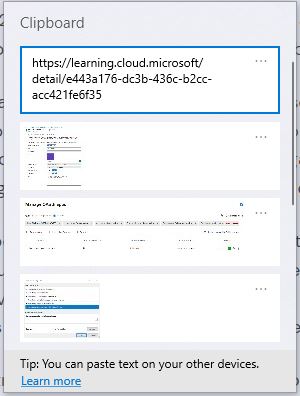
So, if you haven’t tried using WINDOWS-V give a try today. It just might change how you cut and paste.
 The Cloud Whisperers
Leave a comment